Choosing a Smart Lock 2026: Keypad, Biometric & App Control for Enhanced Home Security
The security landscape for your home is rapidly evolving, and smart locks are at the forefront of this transformation. Moving beyond traditional keys, these innovative devices offer unparalleled convenience and robust protection for your property in 2026.
What Really Matters When Choosing a Smart Lock
- Security Standards: Your lock is your first line of defense; ensure it meets recognized industry security ratings.
- Connectivity & Integration: Seamless operation within your smart home ecosystem enhances convenience and functionality.
- User Access Options: The flexibility to choose how you and others enter your home is crucial for daily living.
The Smart Lock Revolution: Keypad, Biometric & App-Controlled Access in 2026
Smart locks are no longer a niche gadget; they are a cornerstone of modern home security, offering a blend of convenience, control, and peace of mind. In 2026, the market is rich with options, each promising to secure your home while simplifying your daily routine. From granting temporary access to a dog walker to receiving alerts about unexpected entries, smart locks empower you like never before.
Choosing the right smart lock involves understanding the different types of access methods and how they align with your lifestyle and security needs. Let's delve into the primary categories you'll encounter.
Keypad Smart Locks: Simple, Secure Entry
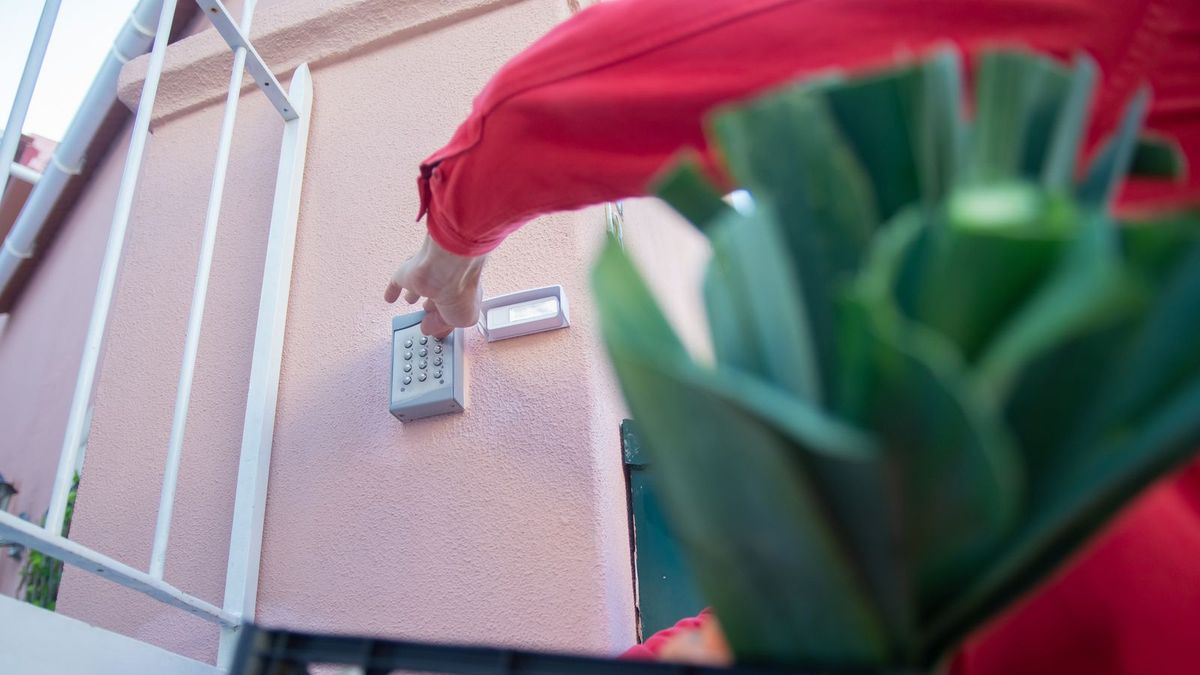
Keypad smart locks provide a straightforward and reliable way to enter your home without a physical key. You simply enter a numerical code on a touchscreen or physical button pad. These are incredibly popular due to their ease of use and ability to manage multiple access codes.
- Pros:
- No physical key needed, reducing the risk of lost or copied keys.
- Easy to share temporary codes for guests, service providers, or family members.
- Often more affordable than biometric options.
- Some models feature "scramble code" or "anti-peep" technology to prevent code theft.
- Cons:
- Codes can be forgotten or visually compromised if not careful.
- Keypads can show wear over time, revealing frequently used digits.
- Battery life is crucial; a dead battery means no code entry.
Popular brands like August (often paired with a keypad accessory), Schlage, and Kwikset offer robust keypad smart locks with various features. Look for models with backlit keypads for night visibility and tamper alerts.
When setting up keypad codes, use unique numbers for different users and change guest codes regularly. Consider a "scramble code" feature that allows you to enter random digits before or after your actual code to obscure it from prying eyes.Biometric Smart Locks: The Ultimate in Personalized Security
Biometric smart locks use unique physical characteristics – most commonly fingerprints – for access. This method offers a high level of security and unparalleled convenience, as your "key" is always with you.
- Pros:
- Extremely difficult to replicate or steal.
- Fast and convenient entry; no fumbling for keys or remembering codes.
- No lost keys or forgotten codes.
- Can store multiple fingerprints for different household members.
- Cons:
- Can be more expensive than keypad or app-only models.
- Fingerprint scanners can sometimes struggle with wet, dirty, or aged fingers.
- Requires careful setup and calibration for optimal performance.
Brands like Ultraloq and Lockly are prominent in the biometric space, offering models that integrate fingerprint scanning with keypads and app control. These locks often come with advanced encryption and robust build quality.
App-Controlled Smart Locks: Remote Management & Integration
App-controlled smart locks are the backbone of the smart home ecosystem. They connect to your smartphone via Bluetooth, Wi-Fi, or Z-Wave/Zigbee, allowing you to lock/unlock, monitor status, and manage access from anywhere.
- Pros:
- Remote control and monitoring from anywhere with an internet connection.
- Integration with other smart home devices (e.g., smart lighting, smart alarm systems, voice assistants).
- Detailed activity logs show who entered and when.
- Easy management of virtual keys and temporary access schedules.
- Cons:
- Relies on smartphone battery and internet connectivity.
- Potential for app glitches or security vulnerabilities if not properly updated.
- Requires a hub for full remote functionality if not Wi-Fi enabled.
Many top smart lock brands, including August, Yale, and Eufy, offer comprehensive app control, often combining it with keypad or biometric features. Ensure the app is user-friendly and regularly updated.
Key Features to Consider in Your 2026 Smart Lock
Beyond the primary access methods, several features differentiate smart locks and contribute to their overall value, security, and convenience.
Security and Durability
- ANSI/BHMA Grading: Look for locks rated Grade 1 (highest residential security) or Grade 2. This indicates resistance to forced entry, impact, and other attacks.
- Construction Materials: Solid metal construction (steel, brass, zinc alloy) is preferable for durability and security.
- Tamper Alerts: Notifications if someone attempts to tamper with or forcibly remove the lock.
- Encryption: Ensure strong encryption (e.g., 128-bit AES) for wireless communications to protect against hacking.
Connectivity and Smart Home Integration
The ability of your smart lock to communicate with other devices is a major advantage. Consider which protocols it supports:
- Bluetooth: Common for local control, often requiring proximity.
- Wi-Fi: Allows direct internet connection for remote control without a separate hub.
- Z-Wave/Zigbee: Energy-efficient protocols that require a compatible smart home hub for remote access and integration with a wider range of devices.
- Voice Assistant Compatibility: Integration with Google Assistant, Amazon Alexa, or Apple HomeKit for voice commands.
Power and Battery Life
Smart locks are battery-powered, so battery longevity and low-battery alerts are crucial. Most use AA or AAA batteries, lasting from 6 months to a year depending on usage and features. Some high-end models may offer rechargeable battery packs.
Installation and Compatibility
Most smart locks are designed for DIY installation, replacing your existing deadbolt. However, it's essential to check compatibility with your door's thickness and bore hole size. Some require professional installation, especially if you're replacing an entire lockset. Ensure the lock is compatible with standard American doors.
Before purchasing, always check the dimensions and requirements of the smart lock against your existing door and deadbolt. Incompatible locks can lead to frustrating installation issues or, worse, compromise your door's security. Measure your backset, bore hole, and door thickness carefully.Additional Features to Look For
- Auto-Lock/Unlock: Locks automatically after a set time or unlocks when you approach with your phone.
- Activity Logs: Provides a record of who entered and when.
- Temporary/Guest Access: Easily create and revoke temporary codes or virtual keys.
- Traditional Key Backup: A physical keyhole is a crucial failsafe in case of battery failure or electronic malfunction.
- Weather Resistance: Important for locks exposed to the elements. Look for IP ratings.
- Video Doorbell Integration: Some advanced systems combine the lock with a video doorbell for a comprehensive entry solution.
Smart Lock Installation and Maintenance
Installing most smart locks is a relatively straightforward process, often involving just a screwdriver. Manufacturers typically provide clear instructions and even video tutorials. However, if you're uncomfortable with DIY tasks, a professional locksmith can handle the installation.
Installation Checklist
- Check Compatibility: Ensure your door's dimensions match the lock's requirements.
- Remove Old Deadbolt: Follow the manufacturer's instructions to carefully remove your existing lock.
- Install New Components: Insert the new deadbolt, exterior keypad/sensor, and interior assembly.
- Connect Wires (if applicable): Some smart locks have internal wiring for different components.
- Insert Batteries: Power up your new smart lock.
- Calibrate and Test: Follow the app's instructions to calibrate the lock and test all functions.
Maintenance Tips for Your Smart Lock
- Regular Battery Replacement: Don't wait for the low-battery warning; replace batteries proactively, perhaps twice a year.
- Software Updates: Keep the lock's firmware and the accompanying app updated for security patches and new features.
- Clean Keypads/Sensors: Gently clean keypads and biometric sensors to ensure optimal performance.
- Check Door Alignment: Ensure your door and strike plate are properly aligned to prevent strain on the lock mechanism.
FAQ
Are smart locks truly secure?Yes, modern smart locks are highly secure. They incorporate strong encryption, tamper detection, and often meet high ANSI/BHMA security standards (Grade 1 or 2). Many also retain a traditional key backup for added peace of mind. However, like any electronic device, keeping firmware updated and using strong passwords/PINs is crucial.
What happens if the battery dies on my smart lock?Most smart locks provide low-battery warnings well in advance. If the battery does die, nearly all models include a physical key override, allowing you to use a traditional key to unlock the door. Some even have a port for a 9V battery to temporarily power the lock for emergency access.
Can I integrate my smart lock with my existing smart home system?Absolutely! Many smart locks are designed to integrate with popular smart home platforms like Google Home, Amazon Alexa, and Apple HomeKit. Check the product specifications for compatibility with your preferred ecosystem and communication protocols like Wi-Fi, Z-Wave, or Zigbee.
How difficult is it to install a smart lock?For most DIYers, installing a smart lock is comparable to replacing a standard deadbolt. It typically involves a screwdriver and about 15-30 minutes. Manufacturers provide detailed instructions and often video guides. If you're unsure, a locksmith can install it for you.
Do smart locks work if my internet goes down?Yes, in most cases. Smart locks typically use Bluetooth for local control, meaning you can still unlock/lock with your phone when you're nearby, even without internet. Keypad and biometric functions also work independently of your home's internet connection. Remote control features, however, will require an active internet connection.
Conclusion
Choosing the right smart lock in 2026 is about balancing security, convenience, and integration with your lifestyle. Whether you prioritize the simplicity of a keypad, the cutting-edge security of biometrics, or the comprehensive control of an app, there's a smart lock designed to meet your needs. By considering security ratings, connectivity, battery life, and ease of installation, you can confidently upgrade your home's entry point, enjoying both enhanced protection and a smarter way to live.